
For private-practice dyslexia & structured-literacy specialists
Run your whole practice, the way your protocol runs.
Sessions, protocol-aware notes, skills tracking, scheduling, and family billing — in one place, built around Wilson and Orton-Gillingham workflows.
One click, no signup — explore real product screens · Free trial when you're ready
Your practice runs on six tools that don't talk.
A spreadsheet for skills. A notebook for lesson data. A calendar that doesn't know your availability rules. Venmo requests parents forget. Email threads for progress questions. Generic tutoring software that treats an OG lesson like a homework session.
A blank text box can't hold drill accuracy, fluency reads, or next-step planning.
Skills and assessment scores scattered across files — nothing a parent can actually read.
Manual invoices, forgotten payments, and the awkward follow-up text.
One system for the whole practice
Everything below reflects what's in the product today.
Run sessions
- Recurring schedules — set a weekly pattern once; sessions generate themselves with conflict checks against practitioner availability.
- Calendar invites & reminders — invites go out automatically; pre-session reminder emails keep no-shows down.
- Protocol-aware notes — Wilson- and Orton-Gillingham-structured lesson notes, with file attachments and attendance codes.
- Public booking links — send families a link; they request times that actually work.
Show progress
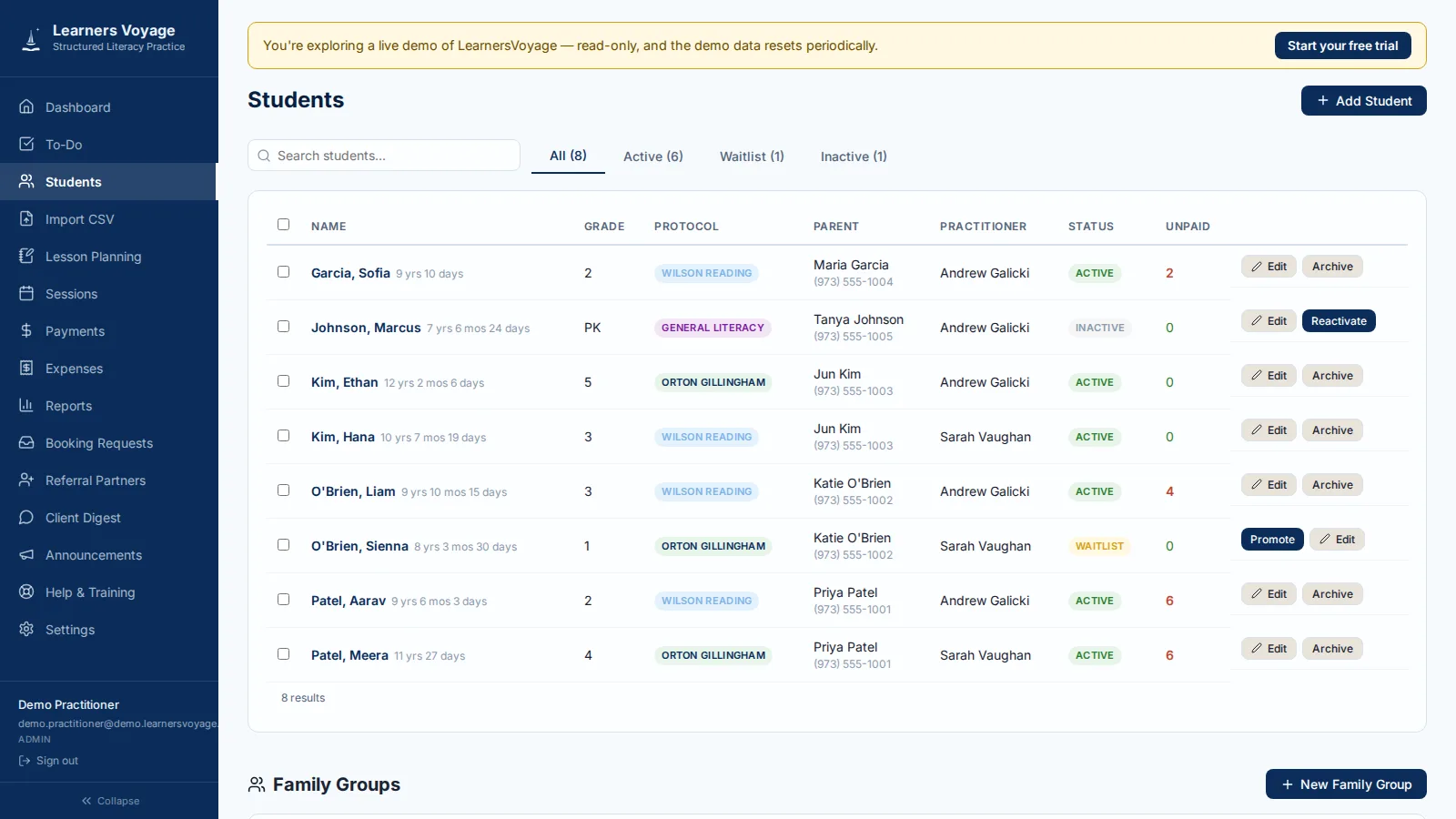
- skills tracking — each student's skills from first introduction through mastery, tied to session history.
- Assessment scores — WADE, GORT-5, TOWRE-2, CTOPP-2, and WIST logged and charted in one student record.
- AI insight flags — emerging patterns surfaced for review on the student's insights tab (optional AI Insights add-on).
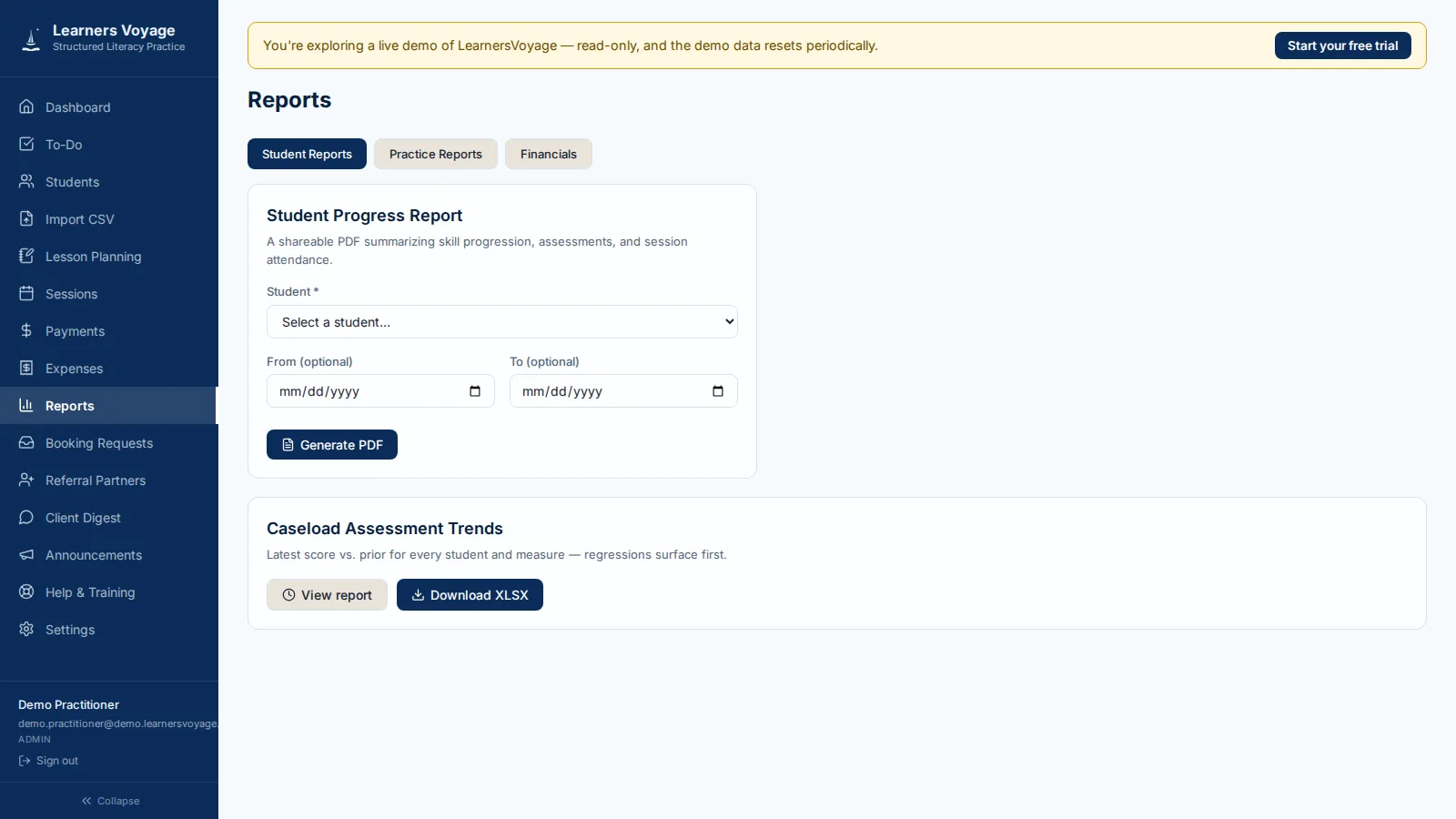
- Parent-ready reports — a clean, shareable PDF progress report generated from real session data.
Get paid
- Family billing & invoices — per-family billing tied to the sessions you actually delivered.
- Stripe payments — families pay online; packages, credits, and auto-pay handled for you.
- Self-serve for parents — they manage their own card and subscription — no phone calls.
- Practice visibility — caseload trends, expenses, and reports in one dashboard.
See it yourself — no signup, no sales call
Try the live demo
One click drops you into a real LearnersVoyage practice loaded with sample students, sessions, notes, and billing. Look around as long as you like — it's read-only, and the data resets regularly.
Read the tour transcript
- This is LearnersVoyage — the whole practice in one place.
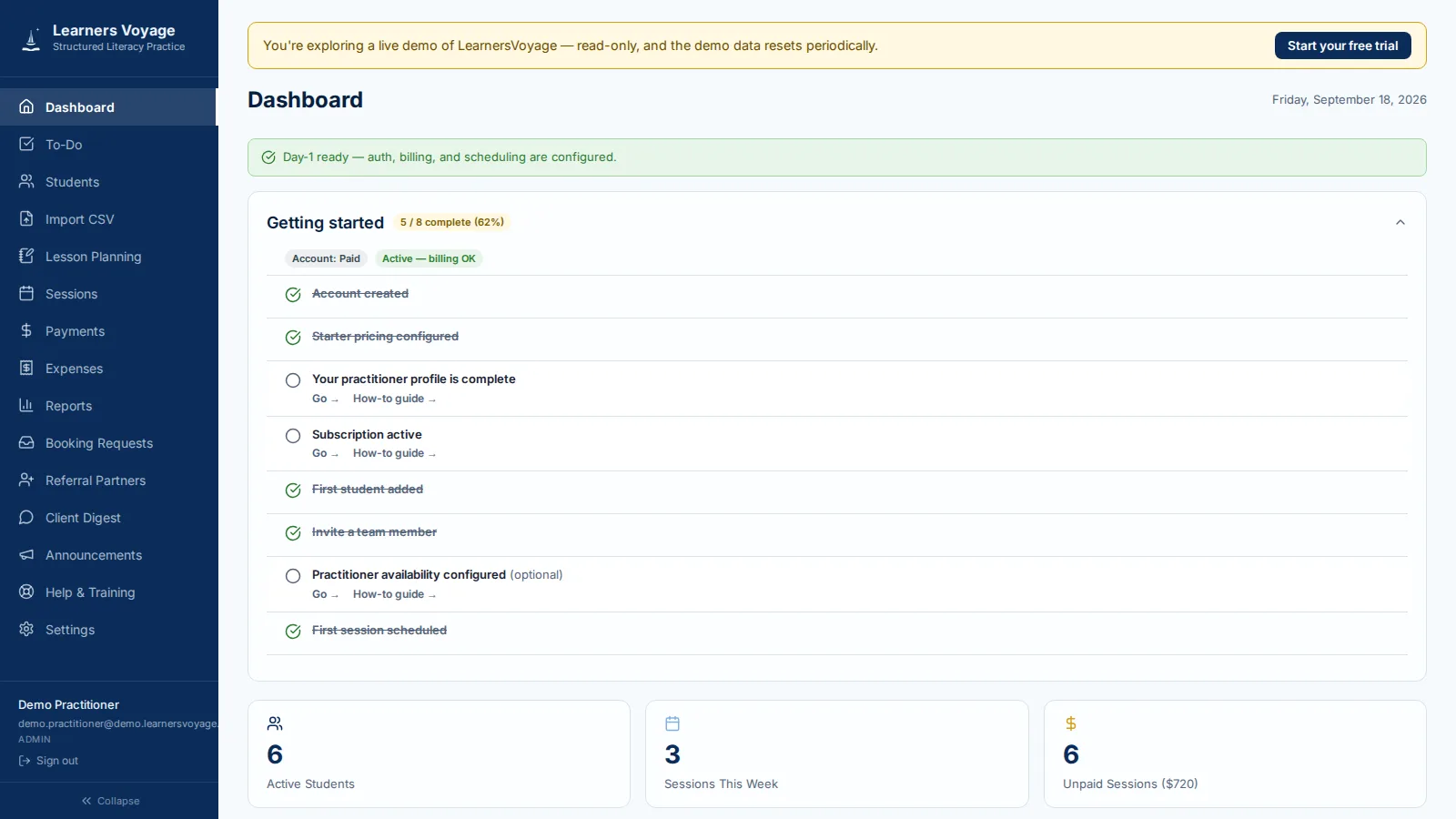
- The dashboard shows today at a glance: sessions, to-dos, and insight flags.
- Every student carries a full record — protocol, skills, assessments, history.
- Session notes are protocol-aware — OG and Wilson structure built in.
- Scheduling handles recurring series, requests, and reminders automatically.
- Billing runs itself — packages, invoices, autopay, and payouts to your Stripe.
- And families get their own portal — notes, progress, schedule, and payment.
- Run your whole practice, the way your protocol runs. Start a free trial today.
Parents stay in the loop — you don't have to do a thing.
The parent portal carries the relationship between sessions, not your inbox.
Before the session
Calendar invites, reminder emails, recorded consent acknowledgments, and booking requests that respect your availability.
After the session
Session notes and skill progress shared to the portal — progress a parent can actually read.
When it's time to pay
Invoices, packages, saved-card auto-pay, and self-serve subscription management — no phone calls required.
The portal your families actually use
Schedule, session notes, skill progress, invoices, and consent forms — all in one sign-in. Take the parent demo for a spin to see exactly what your families will see.
Try the parent demoFamilies sign in through your practice's own link — how family sign-in works.
Built for your kind of practice
LearnersVoyage is shaped around the way structured-literacy specialists actually work — find the page written for you.
Dyslexia specialists
Your practice, structured the way your lessons are
Skills tracked from introduction through mastery, protocol-aware notes, and reports families can actually read.
See how it fits →Orton-Gillingham tutors
OG lesson plans deserve better than a notebook
Session notes structured around the OG lesson plan, plus scheduling and family billing in one place.
See how it fits →Educational therapists
Document the work. Prove the progress. Get paid on time.
Notes, skills tracking, assessments, and billing for the way educational therapists run a practice.
See how it fits →Up and running in a day
Add your students
Import your roster from spreadsheets or add students directly — family groups and referral sources included.
Set the recurring schedule
Define your availability once; sessions, invites, and reminders run on rails from there.
Let the record build itself
Notes, skills, assessments, invoices, and parent reports accumulate in one student record.
Your first week, mapped
No implementation project, no onboarding call required — here's the path from signup to a running practice.
-
Day 1
Sign up, get your own link
Pick a plan, name your practice, and your own
yourpractice.learnersvoyage.comworkspace is live in minutes. -
Day 2
Add your students
Add students and family contacts directly, or bring your roster over from spreadsheets.
-
Day 3
Run a real session
Set your recurring schedule, then write your first protocol-structured note — OG or Wilson layout built in.
-
Day 4
Invite a family
Send the portal invite — they get the schedule, notes, invoices, and consent forms from day one.
-
Day 5
Send the invoice
Bill for the sessions you delivered; families pay online and payouts land in your Stripe.
Want to see it first? Take the live demo →
Built for this practice — not adapted to it
Start free. Simple pricing, no surprises.
Every plan includes the full practice-management core — sessions, notes, skills, assessments, parent portal, and billing. AI Insights is an optional add-on. Prices are pulled live from our billing system.
Independent
$29/mo
or $290/yr — 2 months free
For the solo practitioner.
- 1 practitioner account
- Unlimited students
- Session notes & billing
- Parent portal & booking links
Practice
$49/mo
or $490/yr — 2 months free
For growing teams.
- Up to 5 practitioners
- Everything in Independent
- Team reporting
- Shared caseload & roles
Institute
$89/mo
or $890/yr — 2 months free
For larger organizations.
- Unlimited practitioners
- Everything in Practice
- Advanced analytics
- Practice-level reports
Free trial on every plan — no credit card required. Cancel anytime from your account; your data exports with you. Annual plans bill once at a 2-months-free discount; beta offers apply to monthly billing. Want to see it first? Try the live demo →
Questions practitioners ask
Can I try it before signing up?
Yes — the live demo drops you into a real LearnersVoyage practice loaded with sample students, sessions, notes, and billing. It's read-only and resets regularly. There's a parent-portal demo too, so you can see exactly what your families will see.
Is my students' data safe?
Each practice's data is kept isolated from every other practice on LearnersVoyage, encrypted in transit and at rest. We never sell student data, and you can export your records anytime from inside the app, and delete them through your retention choice or by emailing us.
Can I import my existing students?
Yes — bring your roster from spreadsheets or another system during onboarding and we'll help you get it in. Your old tools can keep running in parallel while you switch.
Do parents need an account?
Parents get their own portal — session notes, skill progress, invoices, and consent forms — with a simple sign-in. No app to install.
Does it work with Wilson or Orton-Gillingham lesson plans?
Session notes are structured around Wilson Reading System and Orton-Gillingham lesson components — drill accuracy, fluency, and next-lesson planning — not a generic notes box.
What happens when beta ends?
Beta members keep their discounted rate for the rest of their first year, then move to standard pricing — no surprise hikes mid-period. If LearnersVoyage isn't right for you, export your data and cancel anytime — no calls required.
Is it HIPAA compliant?
Most private literacy practices aren't HIPAA-covered entities. LearnersVoyage uses encryption in transit and at rest, per-practice data isolation, and access controls — and we don't claim certifications we haven't earned.
Straight answers on data & billing
Your practice's data stays your practice's data
Every practice runs in an isolated tenant — your families, notes, and billing are never commingled with anyone else's.
Your subscription, in your control
Manage your payment method or cancel directly from your account at any time — no phone call required.
We never sell student data
Encryption in transit and at rest, self-serve export plus deletion controls through your retention choice, and honest answers about what we do and don't certify.
Real support during beta
You're working with the people building the product — direct help with onboarding, imports, and questions.
We'll walk through terms of service, privacy, and billing details with you before you commit to the beta — nothing is sprung on you after signup.
Join the beta
LearnersVoyage is onboarding a limited cohort of structured-literacy practitioners and small practices. Start a trial now — or take the live demo for a spin first if you'd rather see it before you commit.
Free trial · No credit card